Request, decide, confirm — and nothing happens out of order.
A customer asks for a time. You approve it, decline it, or offer another. Only then does it become a real booking with a confirmation number and a calendar entry. Everything below is the same flow, in detail.
HOW IT WORKS
Three steps, and nothing happens out of order
01
Customer requests
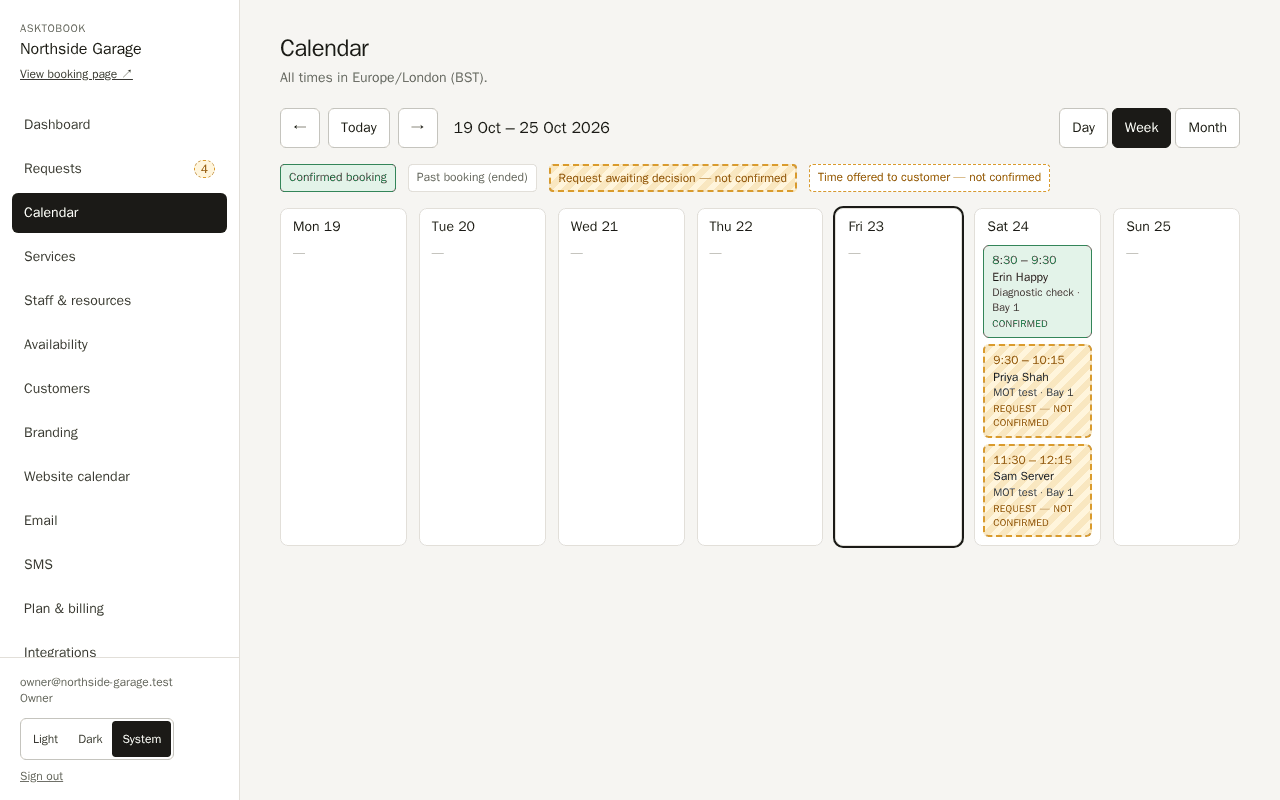
They pick a time and send a request. It is not a booking yet, and nothing is held against your name.
02
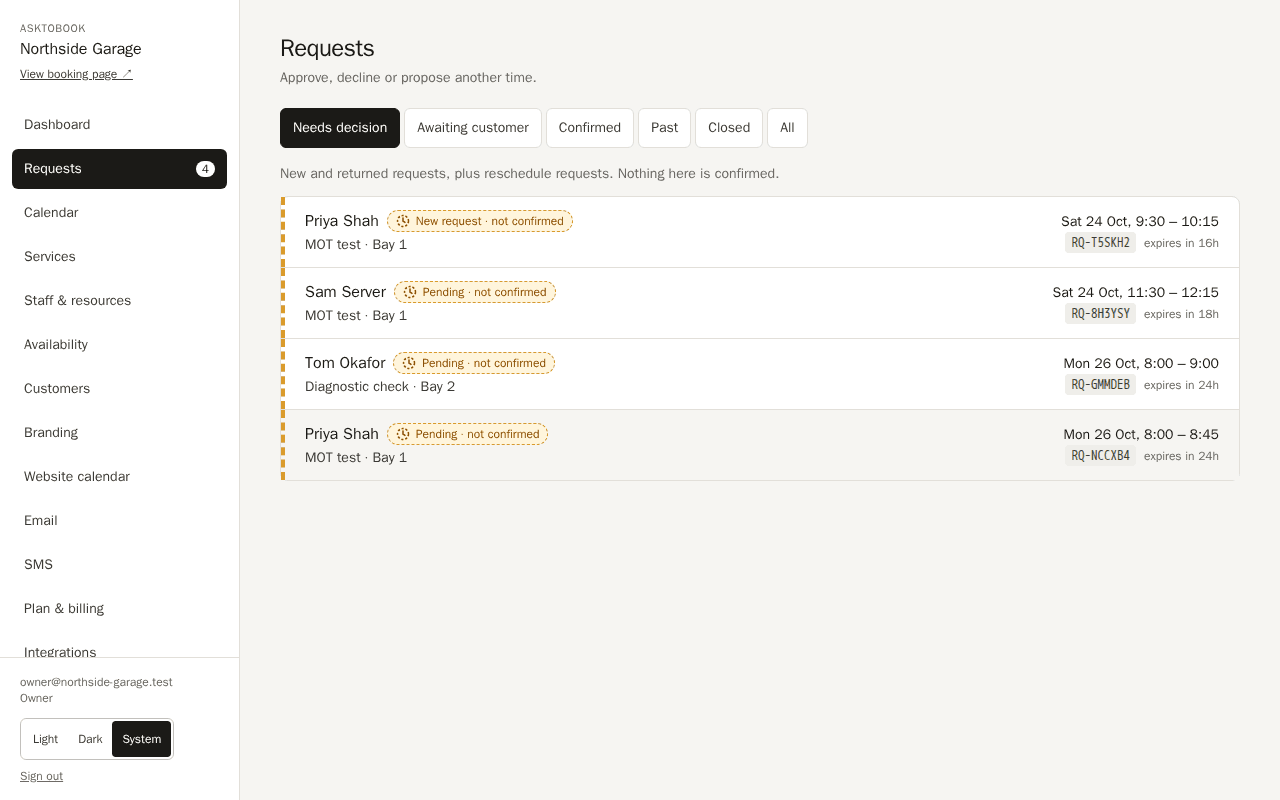
You decide
Approve it, decline it, or offer alternative times. The customer can accept one or suggest another.
03
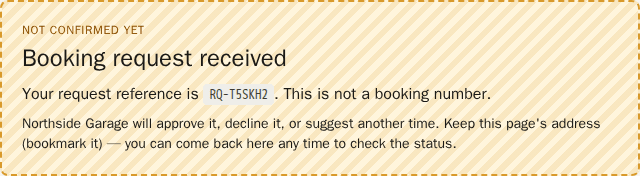
Then it is confirmed
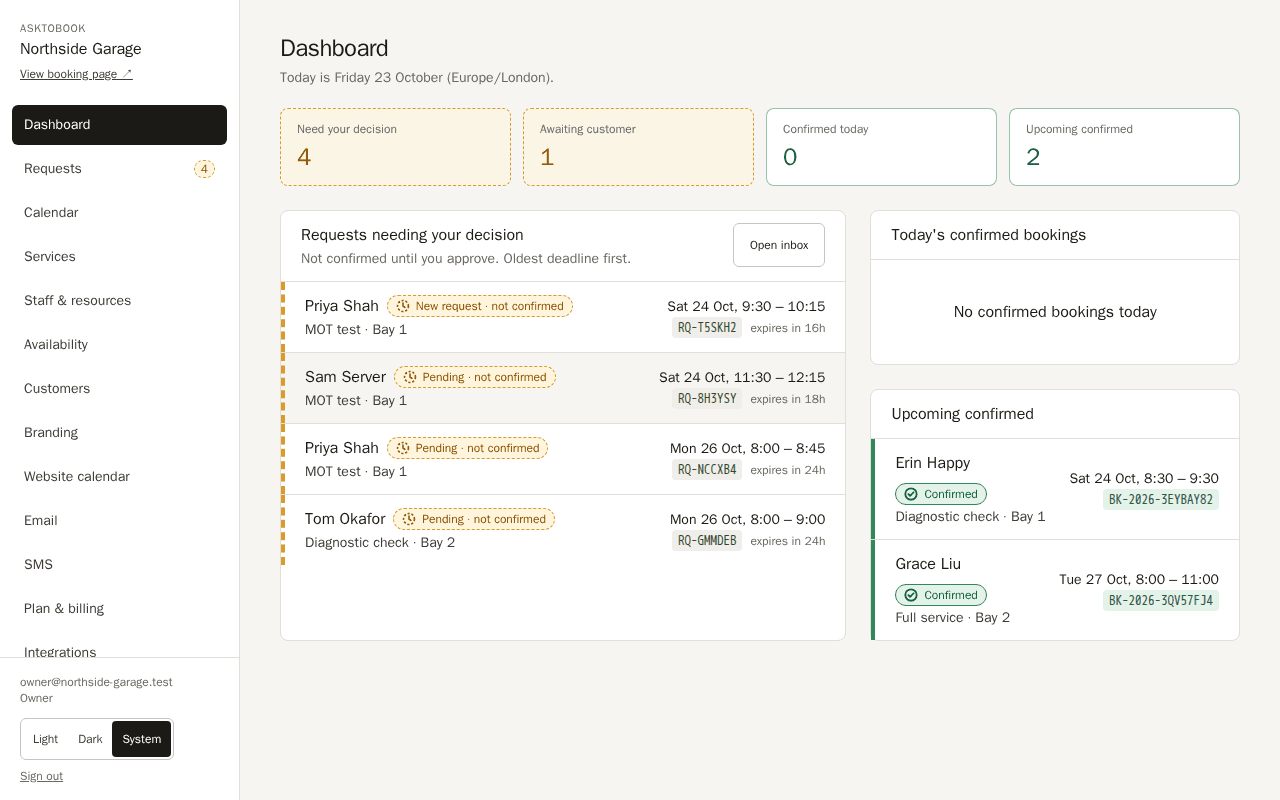
Only now is a confirmation number issued, the customer emailed, and the calendar event written.
SEE IT
Request, decision, confirmation
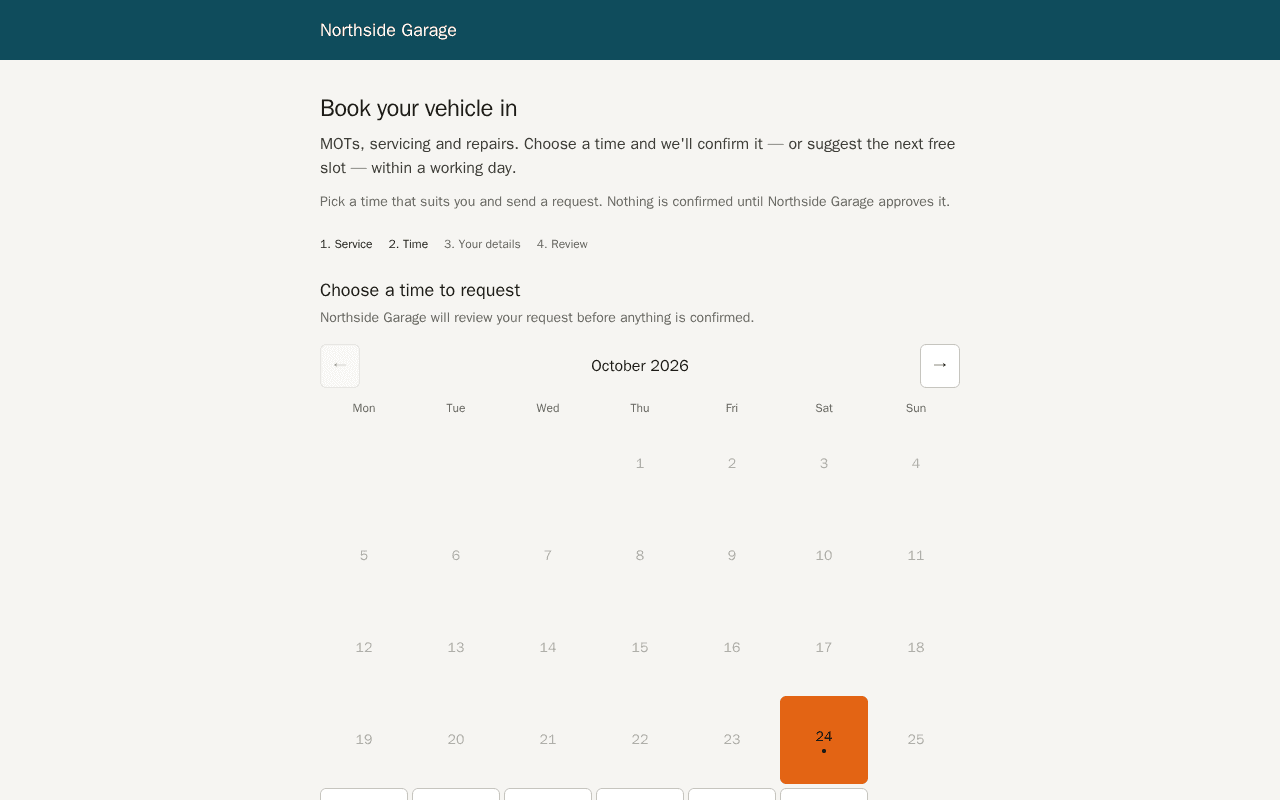
Screenshots from the running product, not mock-ups. Everything shown is seeded demonstration data.
Rather try it than look at it? Run the interactive demonstration — book an appointment with a made-up business and then approve it yourself. Nothing is saved or sent.
OVERVIEW
See what AskToBook can do
A quick introduction to a simpler way of managing appointment requests.
Discover how AskToBook helps your business stay in control of its diary, manage customer enquiries and confirm appointments on your terms.
Want to see how it actually works? Try our interactive demonstration with a fictional business. No real bookings are created.
ON A PHONE
Your booking page, your name on it
Most customers will open it on a phone. It is your business at the top of the page, not ours.
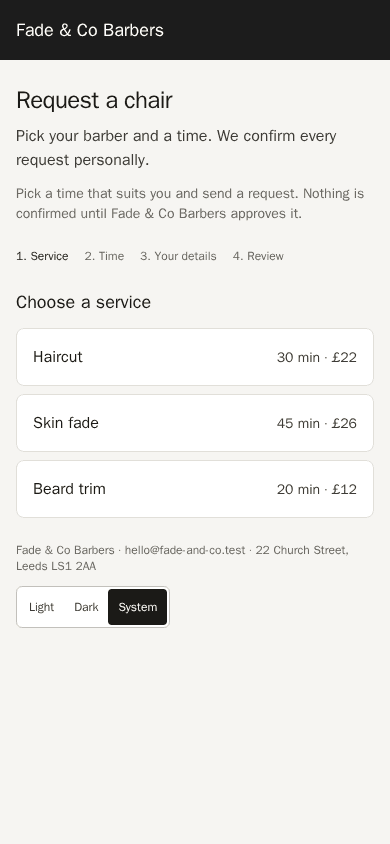
- Your logo and colours. The page carries your branding, set from your dashboard — no developer needed.
- Embed it anywhere. Drop it into your existing site with a snippet, or serve it on your own domain.
- The same promise on every screen. Customers are told, on the page and in their email, that nothing is confirmed until you say so.
MORE
What you get, and what it costs
Every capability is listed on Features, and the plans — including the free tier of 5 booking requests every 7 days — are on Pricing.
QUESTIONS
The things worth asking first
Can something get confirmed without me?
No. A request stays a request until you approve it, and that rule is enforced where it cannot be worked around — not merely shown on screen. There is no sequence of clicks, retries or refreshes that turns one into a confirmed booking by itself.
What if I do not respond in time?
Each request carries a decision deadline you set. When it passes the request expires on its own and the customer is told, rather than sitting in your inbox implying a booking that was never agreed.
Do my customers need an account?
No. They open your booking page, choose a time and leave a name and email. They manage or cancel through a private link sent to them, with no password to create or forget.
Can I use my own domain?
Yes. Your booking page can be served on your own domain, or embedded in a page on your existing site.
What does the free plan actually include?
The whole approval workflow, email notifications and your branded booking page, limited by the number of requests rather than by features. No card is taken to start.
How your data is handled is set out in privacy and data.
Take bookings without losing control of your diary.
Set up your services and availability, share your booking page, and approve what suits you. The free plan needs no card, and nothing is confirmed unless you say so.